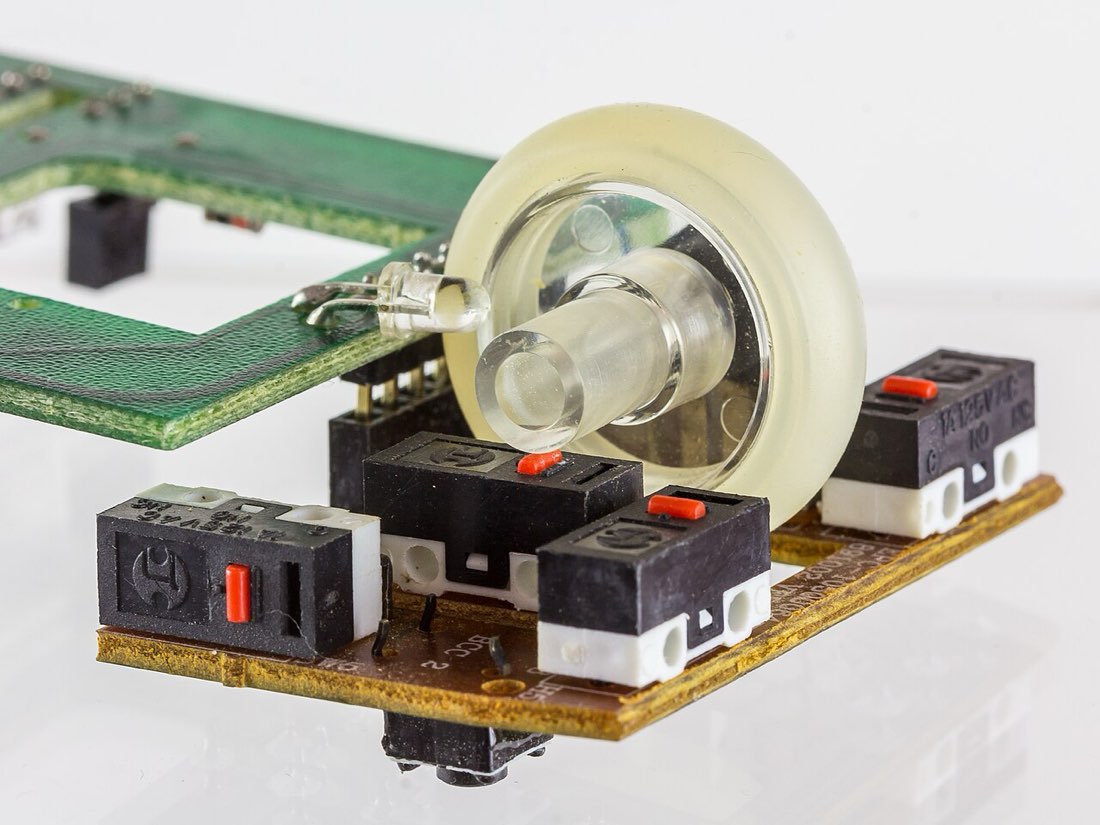
Under each mouse button sits a small switch. When you press the button, it pushes the switch, the switch closes or interrupts a circuit, and the mouse tells the computer that a click happened. The type of switch shapes how a click feels, how quickly it registers and how long it lasts.
Mechanical switches
Most mice use mechanical micro switches. Inside is a thin metal spring leaf that snaps between two positions when pressed. That snap produces the familiar click sound and the crisp feel. When the leaf snaps, two metal contacts touch and close a circuit.
The catch is that metal contacts do not touch cleanly. For a fraction of a millisecond they bounce, touching and separating several times before settling. Without correction, the mouse would read one press as several clicks. Mice handle this with debounce, a short window in which extra signals are ignored. Our guide to debounce time explains the trade-offs.
Inside a mechanical click
- Button presses the switch plunger
- Spring leaf snaps over
- Metal contacts touch and bounce
- Debounce filters the bounce
- Mouse reports one click
Optical switches
Optical switches use a small beam of light instead of metal contacts. Pressing the button moves a shutter that blocks or unblocks the light, and a sensor detects the change. There are no contacts to bounce, so optical switches need little or no debounce and can report clicks slightly faster.
Optical switches also avoid one of the most common failures of mechanical switches: worn contacts that cause unwanted double clicks.
| Mechanical | Optical | |
|---|---|---|
| How it detects a click | Metal contacts touch | Light beam is interrupted |
| Contact bounce | Yes, needs debounce | Essentially none |
| Typical failure | Chatter or double clicks | Rare; mechanical parts can still wear |
| Feel | Wide variety | Varies; often crisp |
Why switches feel different
Switch makers vary the spring force, travel distance and the shape of the snap. A light switch needs less force and suits fast clicking. A heavier switch is harder to press by accident. The button shell above the switch also matters: a stiff shell with a little pre-travel feels different from one that rests directly on the switch.
How long switches last
Manufacturers usually rate switches for tens of millions of clicks. Real lifespan depends on usage. Fast techniques like jitter, butterfly and drag clicking produce far more actuations per day than normal use, and they shorten the switch's working life. Dust, moisture and heat also play a part.
Signs a switch is wearing
The classic sign is chatter: one press registering as two clicks, or a held click releasing by itself while dragging. Files that open when you meant to select them, or a drag that drops early, often point to a worn switch. Our guide to a mouse that double clicks by itself walks through how to check.
Choosing a switch for your use
- Light switch for fast clicking
- Heavier switch to avoid accidental clicks
- Optical if double clicks have been a problem
- Comfortable button shape for your grip
- Reviews that mention long-term reliability
Hearing and feeling the difference
Switches are often described by their sound and feel. Some have a high, sharp click; others are deeper and quieter. Some need a firm press; others respond to a light touch. Silent switches use dampening to reduce noise, which can make them feel slightly softer. None of these is objectively better, but the right feel makes long sessions more comfortable.
If you have the chance, try several mice in a shop and press the buttons slowly and quickly. Pay attention to how far the button moves before the click and whether the release feels crisp.
Buttons, shells and pre-travel
The plastic button above the switch has its own effect. If there is a small gap between the button and the switch, the button moves a little before the click, which is called pre-travel. Some people find this vague; others like the cushion. A button that wobbles sideways can also make clicks feel inconsistent. Reviews often mention these details, and they matter as much as the switch model itself.